The Task List Disconnect: Why Church Event Planning Falls Through the Cracks
The Easter planning meeting ends with a dozen action
items. Someone grabs a notebook. Someone else texts the group chat.
Maybe one person opens Asana and types a few of them in — the ones
they remember by the time they’re back at a laptop. Three weeks later,
nobody is fully sure who still owes what, because the task list and the
event it belongs to live in two different places.
Why Task Apps Like Asana Don’t Fit the
Way Churches Plan
Asana, Basecamp, Trello, Monday — these are genuinely good tools.
Millions of professional teams run their work through them every day.
That’s not the problem.
The problem is what they were built for: a dedicated project team,
often with a project manager whose whole job is keeping the board
current, working inside one tool all day. That’s not how most church
staff operate. A communications director, a volunteer coordinator, and a
handful of ministry leaders are juggling an event on top of everything
else they already do — and a general-purpose task board is one more
tab to remember to open, one more place to re-type what was just decided
in a meeting five minutes ago.
The result isn’t that the tool fails. It’s that nobody keeps it
current, because keeping it current means double entry: say it in the
meeting, then go type it somewhere else.
The Real Problem: Tasks That Live Apart From
the Event
Event-centered task management means every task,
deadline, and meeting tied to a specific event — Easter service, a
mission trip, a building dedication — lives inside that event’s own
planning space, instead of scattered across a sticky-note wall, a group
text, and a project board that only one person actually opens.
In a generic tool, a task is just a task. It lives on a board, in a
list, under a project name someone set up once. It doesn’t know which
Sunday it’s for, which meeting it came out of, or who else is working on
the same event. Connecting it back to the actual event takes a human
remembering to do that linking by hand — a naming convention, a tag,
a shared folder — and that convention breaks down the moment someone
new joins or a volunteer skips a step.
That disconnect is where things fall through the cracks. Not because
anyone stopped caring, but because the system never actually held the
whole picture in one place to begin with.
Where the Chaos Actually Starts: The
Planning Meeting
Walk through a typical event planning cycle and the pattern is easy
to see:
The team meets, talks through the event, and makes a dozen real
decisions — who’s handling signage, who’s confirming volunteers, who’s
following up on the venue.
Someone has to translate what was said out loud into tasks somewhere
else — a separate app, a shared doc, a sticky note — and that
translation step is where details get dropped.
“Wait, did we ever actually write that down
anywhere?”
A week later, the task board and the actual state of the event have
quietly diverged. The board says one thing; reality says another,
because updates happened in conversation, not in the tool.
Days before the event, someone finally asks “who was doing the
thing with the volunteers?” and the answer takes longer to find than it
should.
None of this is a discipline problem. It’s a structural one — the
meeting and the task list were never actually the same system.
What Event-Centered Task
Management Looks Like
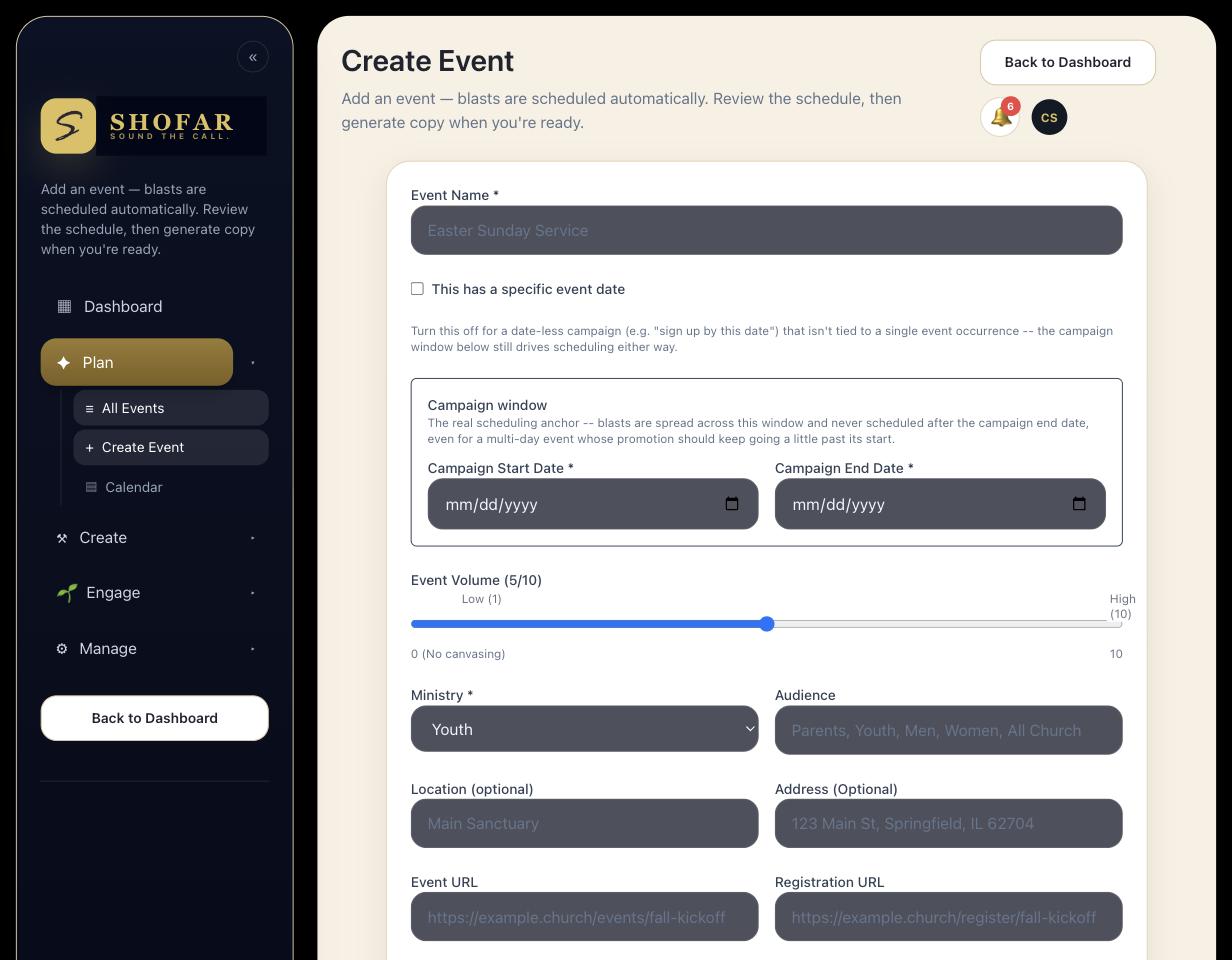
Shofar builds event planning around a different starting point: the
event itself is the container, and everything that belongs to it —
tasks, meetings, the schedule for what’s going out — lives inside
that one planning space.
A Task Checklist Built Into the Event
Every event gets its own task checklist and pipeline from the start,
so the work doesn’t have to live anywhere else to exist.
Meetings Next to the Tasks They Create
Planning meetings for an event sit right alongside its task list, so
what gets decided doesn’t have to be copied into a separate app
afterward.
One Personal List, Every Event
Staff and volunteers see everything they personally owe across every
event they’re part of in a single list — not five separate
boards.
One Master Calendar
Every event and every task deadline shows up on one shared calendar,
drag-and-drop included, instead of living in a tool half the team never
checks.
Shofar vs. a Generic Project Tool: A
Fair Comparison
This isn’t a claim that Asana or Basecamp are poorly built —
they’re excellent tools for what they’re built for: flexible,
general-purpose project tracking for teams who live inside them all day.
The difference is fit, not quality.
In a generic tool, a task is created once, then
drifts away from the meeting and the event that produced it. Keeping
the task board accurate requires someone to treat updating it as its own
job, on top of actually running the event.
In Shofar, the task lives where the decision was
made. The event is the organizing unit — not a project name typed
into a separate system — so the checklist, the meetings, and the
communications going out around that event are already in the same
place by default, not by someone’s extra effort to keep them
synced.
In a generic tool, “what do I personally owe this
week” means checking several boards, because tasks are organized by
project, not by person.
In Shofar, every staff member and volunteer has one
personal task list that rolls up what they owe across every event
they’re part of — the master calendar and that list are built from the
same underlying events, not reconstructed by hand.

— it’s whether the list still matches reality a week later.
A task list that lives apart from the event
it belongs to is only ever one re-type away from being wrong.
Less Chasing, More Ministry
The goal was never to have a prettier task board. It was to spend
less of the week chasing down what’s already been decided, and more of
it actually doing the ministry the event is for.
When the planning meeting, the task list, and the calendar all draw
from the same event instead of three disconnected tools, there’s nothing
left to manually keep in sync. The system already knows what the meeting
knew.
That’s the whole idea behind building task management around the
event instead of around a generic project board — and it’s built that
way for every event on your calendar, not just the big ones.
Frequently Asked Questions
What’s
the difference between Shofar and Asana for churches?
dedicated team manages full-time. Shofar builds task management around
the event itself, so the checklist, the planning meetings, and the
communications for that event already live in the same place —
nothing has to be manually copied between tools.
Can tasks really be tied to a specific
event?
planning space with a task checklist and pipeline, meetings, and a
schedule tab, so a task is never just floating in a generic
list.
Do personal
tasks show up in one place across every event?
that rolls up what they owe across every event they’re involved in, so
there’s one place to check instead of several separate
boards.
Is this only
for paid staff, or can volunteers use it too?
all paid staff, and a task system that only works for employees misses
most of who’s actually doing the work.
Ready to see it for your church?
Start your 14-day free trial today and see what Shofar can do for your church this Sunday.
- 14-day free trial, card required to start
- Hands-on support from our team while you get set up
- Cancel anytime — no long-term contract